
Tag: salesforce
-
Apex Trigger Framework

Triggers are Apex scripts that execute before or after data manipulation events, such as before or after records insert, update, or delete. They are written to perform tasks that can’t be done by using point-and-click tools in Salesforce. But writing ✍️ Trigger in proper way with proper design makes it more…
-
How to get Picklist field API and Label both in Apex
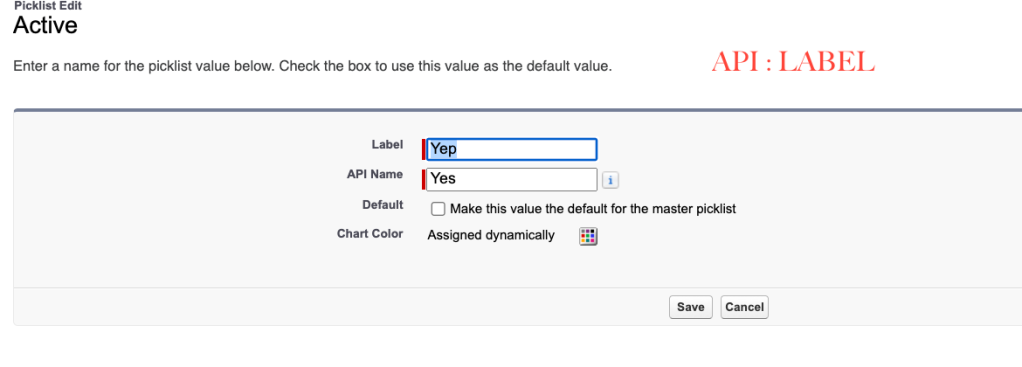
This requirement can be achieved using Schema class. PFB one example UtilityClass which will return the API to Label mapping. PFB the Output:
-
How to add straight line in LWC (Salesforce)

CSS will do the job. Sharing sample code. Component: CSS:
-
How to avoid recursion in Salesforce

Recursion is a major problem in applications. It’s always better to keep the Recursion in mind before you implement any business automation requirement. Sharing some of the general strategy to avoid/fix recursion: Apex Class Apex Trigger Static in Salesforce are per transaction, so the value will be true only for…
-
How To Add Line-break in Custom Label in Lightning Component

There are three ways you can achieve this. When you use this custom label in your Lightning Component, the \n escape sequence will be interpreted as a new line, and the text will appear on two separate lines. he newline escape sequence \n is not directly recognized and rendered as…
-
Salesforce Flow Error: Value of class com.force.swag.soap.Time is not a ValueType: STRING

It’s a simple but confusing error. You’re getting this error because flow doesn’t support Time Data Type and you are using Time data type field in your flow. Simply create a formula field of return type ‘Text’ and embed your time field from that. Now use this new formula field…
-
Generate Unique Random Auto-Number using Apex (medium-concurrency)

Generating high-concurrency unique random auto-number using Apex is very challenging, but using below code you can achieve a medium-concurrency situation.
-
How to get salesforce base URL in Apex.

You can get that using System.URL class. You will find the complete documentation HERE. Below code snippet will give you the base URL and then you can concatenate with record ID to make record detail page URL. You can also run above code in anonymous window to check the output.
-
How to get Picklist Label instead of API in Apex

When we query any picklist field on any object in Apex, we always get the API name of it but if you want the label of the picklist then you can use ‘toLabel’. Suppose we have a custom field named ‘Status__c’ on the ‘Contact’ Object, then the below query will…
-
How to Transfer Files from one object to another in Salesforce
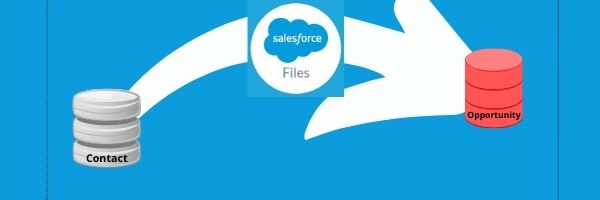
Requirement: Move all related Files of deceased Contact to either Opportunity or Account record. If Opportunity is linked then transfer to Opportunity else to Account. Sample Code:
 JPs Blog