
Category: Dr. SFDC Scout
-
Field Usage Analysis for an SObject in Salesforce
Recently I came to know about this osm feature by SIR Plugin. SIR is already making our life easy. Now let’s understand how it works. REF: SIR github Have you ever wondered which fields in your Salesforce org are truly being used and which ones are just taking up space?…
-
How to Create a Signature Panel Using JavaScript in LWC – Salesforce

n many real-world applications, capturing user signatures is crucial—especially in industries like insurance, healthcare, or field services. Whether you need sign-off on forms, approvals, or receipts, having a signature panel in your Salesforce UI can enhance your digital experience. In this blog post, I’ll walk you through how to create…
-
How to get Custom Metadata in Apex Without SOQL

Custom Metadata details you can directly access without writing a single query in Apex. So we have two scenarios:1. Get all custom metadata records.Use getAll()Returns a map containing custom metadata records for the specific custom metadata type. The map keys are the record DeveloperNames and the map values are the…
-
How to force reset Password from backend

Sometimes you need to reset password from backend (i.e from Developer console). To do that, just run below code in anonymous window in Dev Console. Don’t forget to replace the ‘username@test.com’ and ‘CustomPW@1’ with the actual username and password. Syntax: System.setPassword(userid, password);
-
How to add Hyperlink in Custom Label

When we print label on UI the HTML tags gets escaped by default due to security reasons. But if you are aware its static text then its ok to unescape html Custom Label: In AURA:
-
How to Insert more than 10K records using Apex

Now this is very common use case and everybody will think of batch apex, which is obviously correct. But suppose you have below use case. When user insert an Account, you need to insert 15K related Contacts. Now this is tricky, why? Because for sure you will query Account in…
-
How to export Apex Test Class Coverage

If you want to export a report like below, then its very simple and in a minute you can get the same. Just follow below steps:
-
Validation on File Upload

So there are two use case :1. Upload new file2. Relink existing fileLets consider below use case. I want to restrict user from uploading file in Contact record if the Level__c is ‘Primary’ So lets understand file , In Salesforce, ContentDocumentLink is an object that represents the link between a…
-
Dynamically Get Picklist Label & Values of any Object & Field in Salesforce

You can create a dynamic method to retrieve the picklist labels and values for any object and field in Salesforce. Here’s a dynamic method that takes the object API name and field API name as parameters: Now you can call the method to get the value. Like: Happy Learning 😊
-
How to get Picklist field API and Label both in Apex
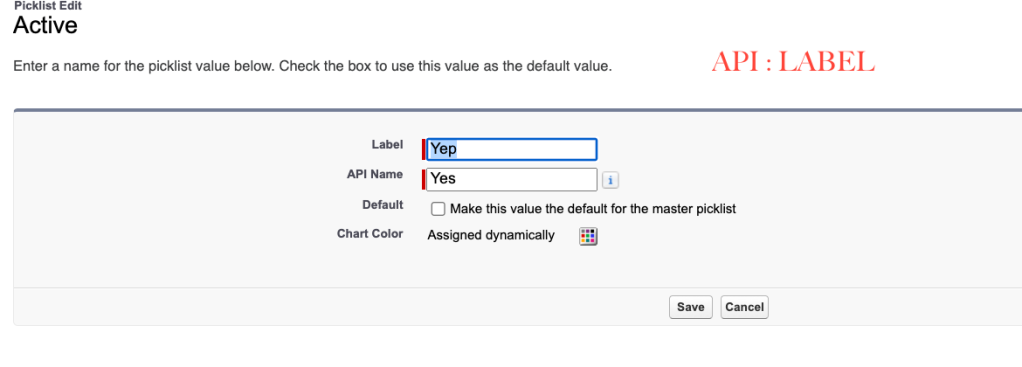
This requirement can be achieved using Schema class. PFB one example UtilityClass which will return the API to Label mapping. PFB the Output:
 JPs Blog