

In one of my earlier posts, I have explained how we can mass delete debug logs from the developer console query editor.
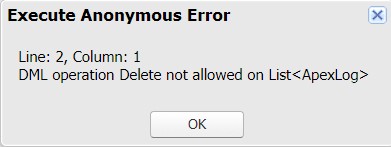
But sometimes it’s annoying as well, especially when log size is huge. With this it comes to our mind, why don’t we simply store the Ids in a list and delete the same in an anonymous window??? Well, we can’t do that because DML is not allowed on ApexLog object (But using REST callout it’s possible, but let’s not invest much time for this small job 😉).
Then what could be the solution?
Well, we can use tools like Dataloader/Workbench for the same 😊
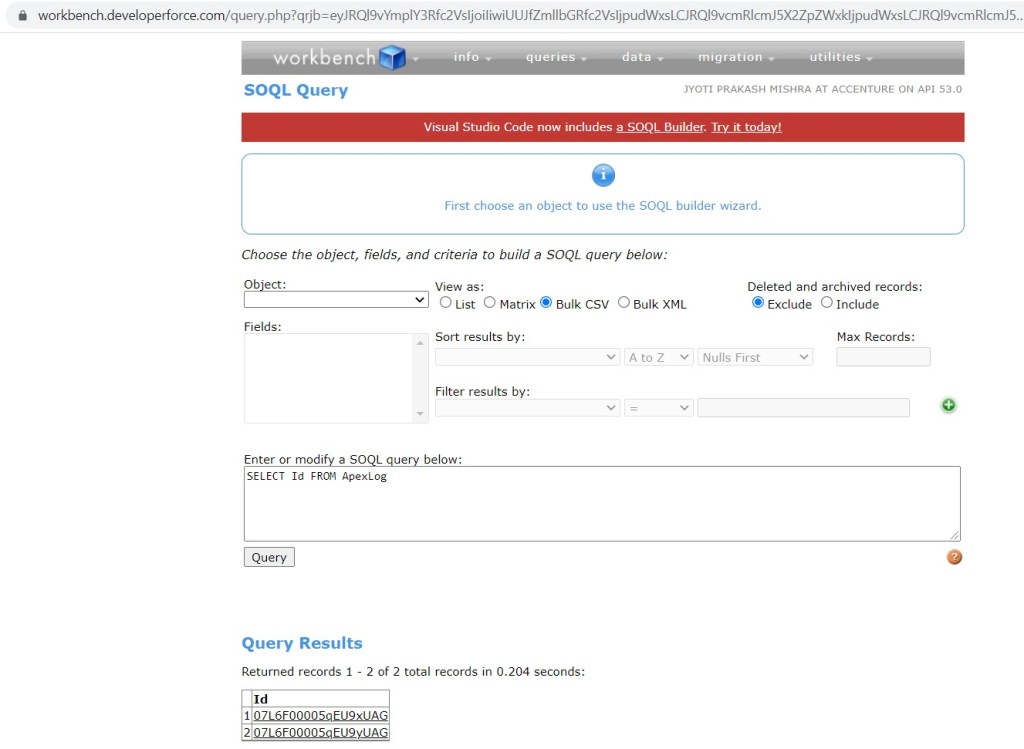
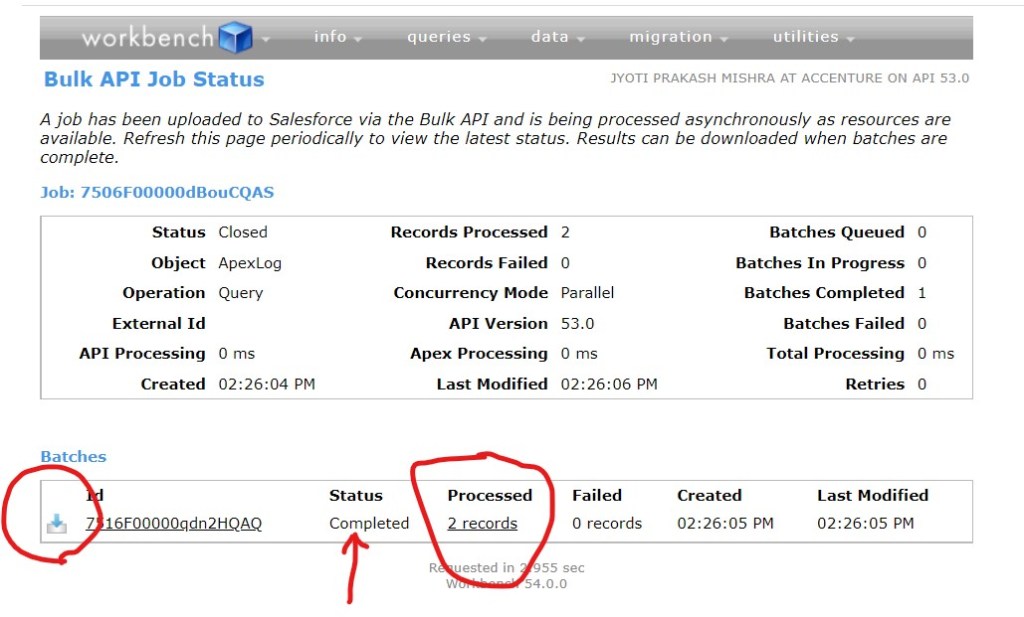
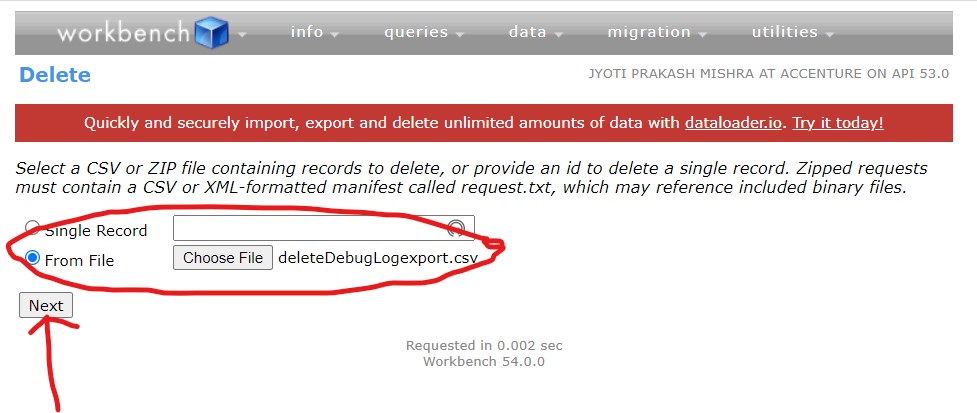
In both the tools, you need to follow basic 2 step concepts like below to delete the logs (I have also attached the screenshots for reference)
- Export Ids of ApexLog object in CSV format
- Delete Ids using the exported CSV file
Dataloader:
- Open dataloader
- Login to the org from which you want to delete the logs
- Choose action as export
- Check the box to see all objects and select ‘Apex Debug Log’ object
- Select Id field to export –> NEXT …NEXT …FINISH
- Now Choose action Delete
- Check the box to see all objects and select ‘Apex Debug Log’ object
- Select the exported CSV file
- Choose the mapping -> NEXT …NEXT …FINISH


Workbench:
Similar action can be followed in Workbench as well. Please let me know if you need help with the Workbench steps.

Thank you!
Happy learning 🙂
 JPs Blog